Tech Resume Checker
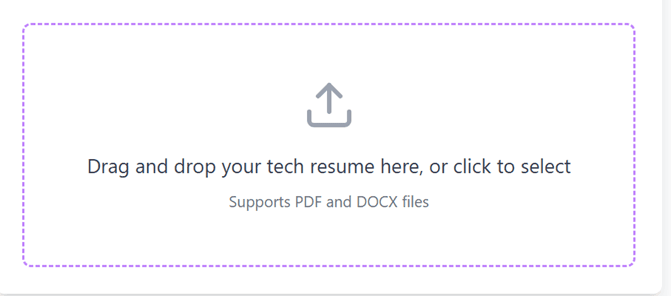
Drag and drop your tech resume here, or click to select
Supports PDF and DOCX files
Free Online Tech Resume Checker - Optimize Your Developer Resume for Success
What is a Tech Resume Checker?
A regular resume checker weighs everyone on the same scale—whether you're an accountant or a software engineer. But our online tech resume checker is specifically made for developers and technical positions. It knows what's important in a coder's resume. It recognizes those programming languages, frameworks, and tools which regular checkers often ignore thinking them as 'spelling mistakes'.
Difference between Regular Checker and Tech Checker?
Understand it like this—the difference between a general doctor and a heart specialist is the same as between a regular checker and our technical resume checker.
- Depth of Keywords: A regular checker will tell you to write 'skills'. But our tool knows writing just "JavaScript" isn't enough, mentioning frameworks like React or Node.js is necessary.
- Understanding Technical Language: It considers words like "Kubernetes," "Docker," or "Redis" not as junk but as your biggest strength.
- Way of Experience: It checks if you've given links to your GitHub or portfolio? Did you explain your achievements with technical depth?
What all do we check?
Our engineer resume checker examines over 20 such points which matter only for tech companies:
It's different for every level: We also understand a fresher's B Tech CSE resume and a CTO (Chief Technology Officer)'s resume can't be the same. Different keywords are needed for Data Science and different for Mobile Development. Our tool adjusts itself according to your field and experience.
Result:
If you want to go to Google, Microsoft, or some cool startup, you need a resume that speaks tech language. Our software resume checker gives you that guidance which a technical recruiter actually wants to see.
How to Use Our Tech Resume Checker
Using our developer resume checker is straightforward, but let me walk you through each step to maximize the value you get from the analysis.
Step 1: Prepare Your 'Tech' Resume
Before uploading, make sure your information technology resume is in PDF or DOCX format. Some things are very necessary in a tech resume because our system specifically looks for them:
- GitHub and Portfolio links.
- LinkedIn profile.
- If you've written any technical blog or contributed in open-source, mention that.
Tip for Freshers: If you're a B Tech fresher, definitely write about your college projects, hackathons, and coding competitions. Our B Tech CV analyzer detects from these things how much you know coding besides bookish knowledge.
Step 2: Upload Your Resume
Simply select your document or drop it into the upload field to begin analysis immediately. The evaluation process starts right away without demanding any user account or personal information.
Step 3: Add Job Description (Most Important for Tech Roles)
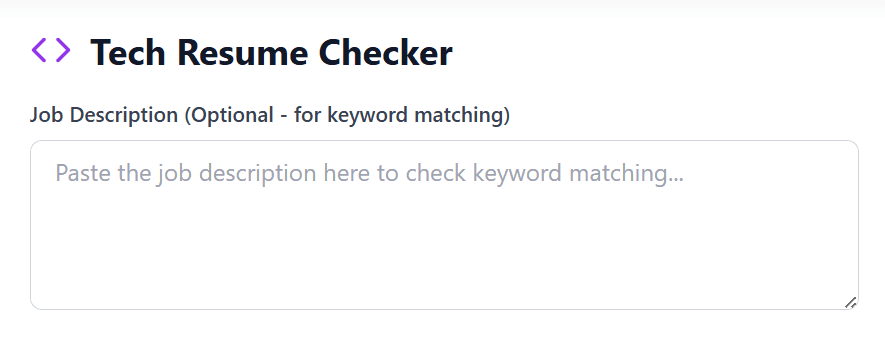
This step is optional but highly recommended for maximum effectiveness. Tech job descriptions contain specific technical requirements that vary dramatically between roles. By pasting the job description, our technical resume checker can identify missing keywords and specific tools the company needs.
Step 4: Technical Analysis (Just 15 Seconds)
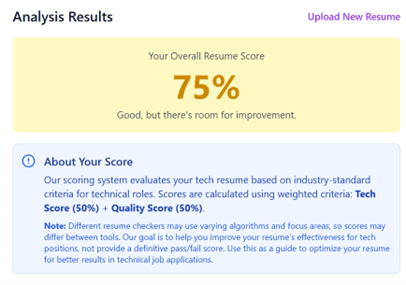
Once uploaded, our online tech resume checker analyzes your resume. It categorizes programming languages, checks GitHub links, and understands the depth of your projects and certifications (AWS, Google Cloud, etc.) in detail.
Step 5: See Your Score Card
After checking, you'll see two types of scores:
Evaluates technical capability – programming (15%), frameworks (12%), projects (16%), and cloud (11%).
Assesses structure, language, and how well achievements are explained.
Step 6: Understand Flaws in Depth
Results give three types of signals to guide your improvements:
Missing GitHub link or programming languages – often leads to instant rejection.
Missing cloud platforms (AWS/Azure) or Git – weakens your competitive edge.
Add tech versions (React 18) or specific performance metrics.
Step 7: Improve and Check Again
Fix 'red' flaws first, then 'orange'. After refining, re-upload to our technical resume checker.
Pro Tip: Freshers focus on projects; senior engineers focus on leadership and system architecture. Always match with the specific job description.
Real-World Use Cases
Case 1: Fresh B.Tech Graduate Landing First Developer Job
The Situation: Amit recently graduated with a B.Tech in Computer Science and prepared his initial technical resume. Despite having academic projects, two hackathon finishes, and a summer internship under his belt, sending over 60 applications yielded just 2 callbacks—both coming through internal employee referrals.
The Problem:
When Amit evaluated his resume using our online tech checker, his score was 41%. The diagnostic report highlighted several core deficiencies:
- Omitted GitHub repository links despite maintaining an active developer profile
- Programming languages listed vaguely without technical context or proficiency grouping
- Projects featured high-level descriptions (e.g. "Built a web application") while omitting the underlying technology stack and system architecture
- Internship experience described in non-technical terms ("Assisted the development team") rather than specific contributions
- Missing keywords that companies search for: REST API, Git, Agile, deployment
- Resume format used tables that scrambled content when parsed by ATS system
The Solution:
Applying the targeted recommendations from our entry-level technical resume analyzer, Amit implemented these strategic improvements:
- Added GitHub link prominently at the top with email and LinkedIn
- Created a Technical Skills section organized by category:
- Languages: Python, JavaScript, Java
- Frameworks: Django, React.js, Spring Boot
- Databases: MySQL, MongoDB
- Tools: Git, Docker, VS Code, Postman
- Rewrote project descriptions with technical depth:
- Before: "Developed a web application for dining management"
- After: "Engineered an end-to-end restaurant management platform utilizing a React SPA frontend, Django REST Framework backend, and PostgreSQL database. Integrated JWT session security, live order tracking via WebSockets, and automated stock alerts."
- Quantified internship achievements:
- Before: "Assisted with website maintenance"
- After: "Optimized database queries reducing page load time by 40%. Fixed 25+ bugs in production codebase using Git workflow and code review process."
- Added relevant coursework: Data Structures & Algorithms, Database Management Systems, Web Technologies
- Switched to simple, single-column format removing all tables and graphics
The Result: After revisions, Amit's tech resume ATS score jumped to 84%. He applied to 15 jobs with his optimized resume and received interview requests from 7 companies—including two product-based companies he really wanted. Within a month, he accepted an SDE-1 position at a growing fintech startup.
Key Lesson: For good tech resume creation as a fresher, projects and GitHub presence matter more than fancy formatting. Technical depth and specific technology mentions are crucial.
Case 2: Mid-Level Developer Switching Tech Stacks
The Situation: Priya, a backend developer with 4 years of Java/Spring experience, wanted to transition into full-stack roles focusing on modern JavaScript frameworks. She updated her resume to mention React and Node.js courses she'd completed, but applications to full-stack positions weren't getting responses.
The Problem:
Our developer resume checker identified a mismatch issue:
- Resume heavily emphasized Java/Spring (70% of technical content)
- React and Node.js were listed strictly under an "In Progress / Learning" heading, implying lack of hands-on commercial experience
- No projects demonstrating full-stack capability
- GitHub showed only Java projects—no evidence of JavaScript work
- Technical achievements all related to backend optimization
- Lacked essential client-side technical terms, including modular UI architecture, global state handling, cross-device responsiveness, and asynchronous API integration
The Solution:
Using our tech resume checker online recommendations and rebuilding her profile, Priya:
- Created personal full-stack projects:
- Built a task management app with React frontend and Node.js/Express backend
- Developed a recipe-sharing platform using MERN stack
- Added both to GitHub with detailed README files
- Restructured her Technical Skills section:
- Moved JavaScript, React, Node.js to the top
- Kept Java/Spring but positioned them appropriately
- Added: Redux, RESTful APIs, MongoDB, Git, Webpack
- Modified work experience descriptions to highlight transferable skills:
- Emphasized API development (relevant to full-stack)
- Mentioned cross-functional collaboration with frontend teams
- Highlighted any client-side interaction work she'd done
- Added certifications: Completed React Nanodegree and Node.js certification
The Result: Her technical resume ATS score for full-stack positions went from 48% to 79%. Within three weeks, she had phone screens scheduled with 5 companies, and eventually landed a full-stack developer role at a SaaS company where she could leverage both her backend depth and new frontend skills.
Key Lesson: Career transitions require strategic repositioning. Your computer tech resume must lead with what you want to do, not just what you've done. Personal projects demonstrating new skills are essential proof points.
Case 3: Senior Engineer Targeting Leadership Roles
The Situation: Rahul, a veteran software engineer with a decade of industry expertise, aimed for Staff Engineer and Engineering Manager positions. Although he possessed a robust track record—directing engineering teams, designing complex system components, and guiding junior talent—his applications for lead positions were routinely overlooked.
The Problem:
Our engineer resume checker revealed issues specific to senior-level technical resumes:
- Resume focused heavily on hands-on coding details rather than leadership impact
- No mention of system design philosophy or architectural decisions
- Missing strategic keywords: scalability, system architecture, technical roadmap, cross-functional collaboration, mentorship
- Achievements focused on individual contributions rather than team success or business impact
- Lacked evidence of technical decision-making and trade-off analysis
- No mention of technologies beyond his day-to-day work (appeared specialized rather than versatile)
The Solution:
Our tech executive resume optimization helped Rahul:
- Restructured achievements to show leadership impact:
- Before: "Developed microservices architecture using Spring Boot"
- After: "Spearheaded the architectural transition from legacy monolithic systems to distributed microservices handling 5M+ active users, directing an engineering squad of 8. Defined service boundaries, async message brokers, and transactional data boundaries—cutting release cycles by 60% and achieving 99.95% availability."
- Added System Design section highlighting:
- Designed high-throughput data pipeline processing 2TB+ daily
- Led architectural review board evaluating technical proposals
- Made build vs buy decisions for 10+ major components
- Introduced event-driven architecture reducing system coupling
- Emphasized mentorship and technical leadership:
- Mentored 15+ junior engineers, 3 of whom were promoted
- Established code review standards and technical documentation practices
- Led technical interviews and improved hiring quality
- Showcased business impact:
- Translated business requirements into technical specifications
- Collaborated with product, design, and business teams
- Quantified impact: $2M cost savings, 40% performance improvement, 50% reduction in customer-reported issues
The Result: His optimized resume for technical jobs at senior levels scored 88% when matched against Staff Engineer and Engineering Manager job descriptions. He began receiving recruiter outreach within days and accepted a Staff Engineer position at a major tech company within six weeks.
Key Lesson: Senior technical resumes need to demonstrate leadership, decision-making, and business impact—not just coding skills. Our tech resume checker evaluates whether you're positioning yourself appropriately for the level you're targeting.
Features
Our software resume checker is specifically made keeping in mind the needs of tech professionals. It has features which you can never find in a regular checker. Let's see what all it can do for your career:
1. Deep Analysis of Technical Skills
Our tool doesn't just count words, it understands them. Our online tech resume checker automatically categorizes your skills into different sections:
- Categories: Programming Languages, Frameworks, Databases, Cloud Platforms, and DevOps Tools.
- Smart Suggestions: It recognizes outdated technology and advises you to learn today's trending tools.
- Version Details: It checks if you've written just "React" or given details like "React 18", which shows your deep understanding.
2. Check of GitHub and Portfolio Links
For a developer, his code is his identity. Our tool specifically checks:
- Are your GitHub/GitLab and Portfolio links present?
- Are they given at the right place (towards top) in resume?
- Often developers hide these links at bottom or forget, due to which they lose great opportunities.
3. Parameter of Projects' Quality
Regular checkers can't tell how to write projects. Our technical resume checker gives score to your projects:
- Bad: "Built a web application" (very plain)
- Best: "Built full-featured e-commerce platform using React, Node.js, and MongoDB. Implemented JWT authentication and handled 1000+ concurrent users. Deployed on AWS."
- We see if you've explained project's difficulties, tech used, and its results properly.
4. Identification of Metrics
Our engineer resume checker finds those numbers which tech recruiters want to see:
- Performance: "Reduced API response time by 40%."
- Scale: "Built system handling 100K daily requests."
- Reliability: "Achieved 99.9% uptime."
- If you've written just "worked", we suggest you change it to "how much and what kind of work".
5. Different Parameter for Every Level
Our tech resume ATS score changes according to your position:
- Freshers (B Tech CV): Here we focus more on projects, internships, and hackathons.
- Mid-Level (2-5 years): Here focus is on teamwork and project's business impact.
- Senior/Executive: Here we give more marks to your leadership, architecture design, and strategic decisions.
6. Dual Scoring: ATS + Quality
Our tool keeps both robot and human happy:
- Technical Score (50%): It sees if your resume will pass ATS hurdle?
- Quality Score (50%): It sees if your resume will impress a human?
7. Job Description Matching
When you paste any specific job info, our applicant tracking system checker free tells:
- Which 'must-have' keywords are missing?
- How percent ready is your resume for that specific job?
8. Completely Free and Safe
- No account: Just come and use.
- No limit: Check as many times as you want.
- Privacy: Your data isn't saved or sold to anyone.
Comparison with Other Tools
| Feature | Our Tool | Generic Scanners |
|---|---|---|
| Tech-Specific Focus | Deep (100+ Stacks) | Broad/Superficial |
| GitHub/Project Scoring | Critical Metric | Often Ignored |
| Experience Adaptation | Included | One-size-fits-all |
| Price / Registration | Free / No Account | Paid / Required |
What Makes Our Tool Different?
1. Truly Free Unlimited Scans
Unlike Jobscan or Resume Worded which limit you to 2-3 scans before paywalling, our tool is 100% free with no hidden costs or "limited offers".
2. Dual "Machine + Human" Focus
We don't just keyword stuff for ATS. Our Quality Score ensures that when a senior engineer reads your resume, it makes a powerful impression.
3. Deep Tech-Stack Logic
We understand the value of MERN stack versus simple "JavaScript". We validate GitHub links and see if projects have real technical depth.
4. Zero Spam Registration
No account creation, no email required, no spam. Your privacy is priority – data is analyzed instantly and never sold.
Frequently Asked Questions
1. What is a Tech Resume Checker?
A specialized tool for developers and engineers, unlike generic checkers. It recognizes tech keywords like React, Docker, and Kubernetes as strengths, perfectly tailored for tech giants or startups.
2. How is it different from regular resume checkers?
Regular ones flag tech terms as typos; ours understands 100+ tech stacks. It checks GitHub links, project depth, and role-specific needs (fresher vs. senior) like a heart specialist would.
3. What file formats can I upload?
PDF or DOCX only – ATS-friendly and easy to parse. No registration needed, analysis starts instantly in 10-15 seconds.
4. Is any payment or account registration mandatory?
The tool is completely free with unlimited checks and zero signup requirement. No account creation, email capture, or credit card details are needed, and all documents are processed securely in memory.
5. Should I add the job description?
Yes – highly recommended for 90%+ accuracy. It matches your resume to specific keywords and shows your % fit with tailored suggestions.
6. What scores does it provide?
Dual scores: Tech Score (50%) for skills/projects and Quality Score (50%) for clarity and structure. Total out of 100 with red flags and suggestions.
7. Does it check GitHub and portfolios?
Yes – scans for links, validates them, and scores project depth. Critical for freshers and can boost your score significantly.
8. Is it good for freshers/B.Tech students?
Perfect – prioritizes projects, GitHub, and hackathons over experience. Detects coding depth beyond bookish knowledge.
9. How does it handle senior roles?
Emphasizes leadership, system design, and business impact. Checks for scalability keywords and strategic architectural decisions.
10. Can it help with career switches?
Yes – spots stack mismatches and suggests projects to reposition your skills with new proof points.
11. Does it understand different tech fields?
Fully – adapts for full-stack, data science, mobile, DevOps, etc. Job description input fine-tunes for any specific niche.
12. What are red flags vs. suggestions?
Red Flags are critical issues like missing core languages. Orange Warnings are missing cloud/tools. Blue Suggestions are for micro-optimizations like metrics.
13. How accurate is it for ATS systems?
Tech Score simulates parsing by major ATS. Matches 100+ recruiter keywords; 80%+ scores generally pass real filters.
14. Can I recheck after edits?
Yes – uploadimproved version anytime. It's unlimited, so optimize for each job application individually.
15. Is my data secure?
Absolutely. We don't store your resumes or personal data. Analysis is done and data is cleared immediately after the report is generated.
Have Questions or Feedback?
We'd love to hear from you! If you have any questions, suggestions, or feedback about our Tech Resume Checker, please fill out the form below.