ATS Resume Checker
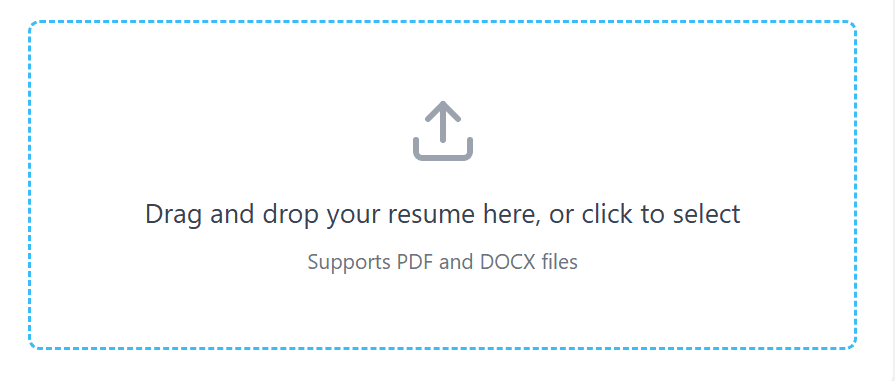
Drag and drop your resume here, or click to select
Supports PDF and DOCX files
How to Use an Online ATS Checker to Boost Your ATS Score
What is ATS & Why Resume Fails
ATS is a software which companies use to filter thousands of resumes. When you apply in a big company (like Google, Microsoft or any Fortune 500 company), your resume doesn't go to a human first, it goes to this software. This software scans your resume and sees if you're right for that job. If you don't meet its 'parameters', resume gets rejected right there.
Why Resume Fails
Surprisingly, 75% resumes get rejected before reaching human eyes. There are 2 main reasons for this:
1. Poor Formatting
ATS likes simplicity. If you've made your resume very 'beautiful' or 'designer', it may fail.
- Tables and Columns: ATS often can't read text inside tables and columns and considers it 'gibberish'.
- Graphics and Photo: Having photo, charts, or too many icons in resume confuses the software.
- Unknown Fonts: If you use very fancy fonts, software won't recognize it. Always choose standard fonts like Arial, Calibri or Times New Roman.
2. Missing Keywords
ATS works like a 'search engine'. Suppose company needs "Python Developer", then it'll search this word in software. If "Python" word isn't in your resume, or you haven't written it properly, no matter how capable you are, your name won't come up in list.
Matching with Job Description is very necessary. If job needs "Project Management" and you've written "Leading Teams", maybe software won't match it.
How Resume Checker Helps?
Our tool works exactly like companies' ATS.
- Instant Analysis: It scans your PDF or DOCX resume and tells if software is able to read it.
- Compatibility Score: We give you a score which shows how much your resume is 'machine-friendly'.
- Keyword Matching: We also tell which necessary words are missing in your resume.
- No Sign-up: You don't need to give email or create account. Just upload and know your flaws.
How ATS Resume Checkers Work
As soon as you upload your resume, our system converts it into a 'Plain Text'. This is exactly what real companies' software does. After this, it starts 'scanning' your resume on more than 14 different parameters:
- Identification of Sections: Did you use correct words (Labels) like "Experience" or "Education"? If you'll put very creative headings, software won't understand where's which information.
- Keyword Density: It sees how many times and in what way necessary words are used.
- Readability: Is your language so clear that a machine can read and understand it easily?
The Scoring Strategy
We don't just give you a number, but we divide it in three parts so that you know your real strength and weakness:
- ATS Compatibility (50%):This is score of whether software is able to read your resume without any problem.
- Quality (50%):Here we see how much substance is in your points. Did you explain your achievements properly?
- Keyword Match (+20% bonus):If you paste any job description, we check how fit you are for that particular role.
Why We're Different from Others?
Most common scanners give you a "Black Box" score—means they'll tell score, but won't tell how that score came.
Our free online ATS score tool goes much beyond that:
- AI-Driven Breakdown: We clearly show you how a machine is reading your CV. If any part isn't readable, we flag it immediately.
- Tech-Special: We don't just count words, but understand intricacies of tech roles. If you're a developer and "React.js" like necessary skill is missing in your resume, our tool will immediately alert you.
Step-by-Step Guide (Screenshots)
Using it is so easy that you can extract complete 'kundli' of your resume in just few clicks. Here's step-by-step told what you have to do:
1. Drag and Drop:
First pick your PDF resume or DOCX file and put it directly in upload box. Here you don't need to create any account or give your email ID. Our system accepts file upto 5MB immediately.
2. Scan in Blink of an Eye (Power of AI):
Once uploaded, our AI system does postmortem of your resume in just few seconds. It checks your ATS score, formatting mistakes and keyword optimization in detail.

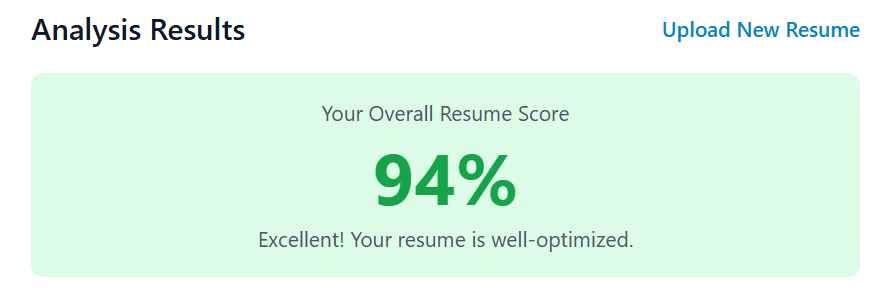
3. See Your Scorecard:
As soon as scan is complete, a fantastic dashboard will open in front of you. Here you'll see complete breakdown of your ATS score resume (like 82/100). Through pie-charts and graphs you'll clearly see where's the problem—like "keyword match is less" or "section headings are wrong".
4. Improve Flaws Immediately:
System won't just give you score, but will also give small suggestions to improve it. Like—software may advise you to use powerful words like "managed" instead of old words like "utilized" so that reader (and machine) is impressed.
How Will Your Result Look? (Visual Preview)
- Score Board:
A big meter will tell you how much your resume is 'safe'.
- Before/After Preview:
You'll be able to see how your resume looks and how an ATS software is 'reading' it. If any part looks messed up there, understand that it needs to be changed.
Common Mistakes (Bullet points)
- 1
Fancy Formatting:
We think tables, images or stylish headers/footers will make resume standout. But truth is ATS gets tangled in these things and can't read your information properly. Due to this your whole resume becomes 'scramble' in machine language.
- 2
Wrong Choice of Keywords:
If you forget to put necessary words according to job (like "Agile Methodology" or "Cloud Computing"), then your resume score ATS drops very low. Software thinks you're not fit for that work.
- 3
Strange Section Headings:
Software likes simplicity. If you put names like "About Me" or "My Story" instead of "Professional Summary", scanner gets confused. Always use standard headings.
- 4
Difficult to Read (Poor Readability):
Using very long paragraphs or loose words (Passive Voice) like "was responsible for" reduces your quality score. Instead use short points and powerful words.
- 5
Wrong File Format:
Always remember only plain PDF or DOCX are best. Never upload photo (Scan copy) or HTML file of your resume, because software can't read text inside them.
- 6
Contact Detail Missing:
If at topmost of your resume your name, phone number and email aren't written clearly, ATS skips it without thinking.
How to Fix Each Mistake
Remove Fancy Formatting → Leave show-off
Use simple bold headings, standard font (like Arial 10-12pt) and bullet points. Don't put any color or graphics. Our ATS checker will show you that form of resume which machine finds easy to read.
Correct Keywords (Wrong Keywords)
Paste job description of job you're applying for in our resume checker with job description tool. It'll immediately tell you which words are missing (like "SQL querying") and what's your 'match percentage'.
Standard Section Headings
Keep your headings very clear: "Skills," "Work Experience," and "Education". If you'll put unique name, our tool will flag it and suggest correct name.
Make Easy to Read (Poor Readability)
Keep bullet points only 1-2 lines and always start with 'Action Verbs' (like Managed, Led, Developed). Our tool gives score to your resume quality on 16 different parameters.
Correct File Format
If your resume is in any other format, change it to PDF through Word. Our online resume scanner will tell as soon as uploaded whether file is correct or not.
Contact Details
Write your name, phone and email at topmost of resume in plain text. Our ATS CV test immediately confirms whether this information is being recognized or not.
Final Checklist
Before applying tick these points:
- ATS score should be above 80/100.
- Job keywords match should be more than 80%.
- All sections (Skills, Experience etc) should be properly recognized.
- There should be no table, photo or graphics.
- Powerful words (Action verbs) and numbers (like "Led team of 5, increased sales by 30%") should be present.
- Resume should be of one page (for most roles).
Next Step: After fixing everything scan again. Our free resume score online tool is always ready for you.
CTA Section
Drag & Drop your resume here and get your free ATS score and keyword match report in few seconds. No sign-up, no hidden terms.
ATS online free:
Completely free for PDF and DOCX.
Boost your score:
Know your flaws and increase your resume score ATS.
Land that interview:
Get that interview call which you're entitled to!
FAQs
How to check ATS score of resume for free?
You can check ATS score of resume for free using tools like Jobscan, Resume Worded, or Skillsyncer. Simply upload your resume, paste the job description, and get an instant compatibility score. Most free online resume checker tools don't require signup or payment for basic scans.
What is the best free ATS resume checker online?
The best free ATS resume checker online depends on your needs. Jobscan offers the most detailed analysis with keyword matching. Resume Worded provides instant feedback on formatting. CVviz works without any signup. Try 2-3 different tools to get the most comprehensive feedback.
How to improve ATS score of resume quickly?
To improve ATS score of resume, start by adding missing keywords from the job description. Simplify your formatting by removing tables and graphics. Use standard section headings like "Work Experience" and "Education." Then test again with a resume score checker online to see your improved results.
Is my resume ATS friendly? How can I tell?
To know is my resume ATS friendly, do this simple test: can you copy all text from your resume and paste it elsewhere? If yes, and you've used standard formatting with clear section headings, your resume is likely ATS compatible. For certainty, use an ATS friendly resume checker tool.
How is ATS score calculated by different systems?
How ATS score is calculated varies by system, but most evaluate keyword matching (40-50%), relevant experience (25-30%), required skills (15-20%), and formatting readability (10-15%). The resume screening software compares your resume against the job description and assigns a compatibility percentage.
What is the main resume rejected by ATS reason?
The most common resume rejected by ATS reason is missing keywords. If your resume doesn't contain the exact terms from the job posting, the ATS gives you a low score. Other reasons include unreadable formatting, wrong file format, and lack of required qualifications in obvious places.
Can I upload resume and get ATS score instantly?
Yes, most modern tools let you upload resume and get ATS score within seconds. Tools like Jobscan and Resume Worded analyze your document immediately. You'll see your compatibility percentage and detailed feedback in under a minute using a good online ATS checker.
How to pass ATS resume screening consistently?
To pass ATS resume screening every time, follow this formula: read the job description carefully, use exact keywords, keep formatting simple, save in the right file format (.docx is safest), and always test with an ATS score checker before submitting. Customize your resume for each application.
What does a resume keywords checker online actually check?
A resume keywords checker online compares your resume against the job description to find matching and missing terms. It identifies hard skills, soft skills, industry terminology, and required qualifications. The tool shows which keywords appear in the posting but are absent from your resume.
Are there ATS resume checker without signup options?
Yes, several ATS resume checker without signup tools exist. CVviz and some features of Resume Worded work without registration. However, creating a free account with tools like Jobscan gives you access to more detailed analysis and scan history, which helps when applying to multiple jobs.
How does an AI resume checker for ATS differ from regular checkers?
An AI resume checker for ATS uses machine learning to understand context and synonyms better than basic keyword matching. It can recognize that "led a team" and "managed staff" mean similar things. AI tools also predict your interview chances more accurately based on millions of data points.
What is a resume parser test online and why does it matter?
A resume parser test online shows you exactly how an ATS reads and categorizes your information. It reveals if the system is correctly identifying your work experience, education, skills, and contact details. If sections are jumbled or missing, you know you have formatting problems to fix.
How can I ATS scan resume free before applying?
You can ATS scan resume free using tools like Jobscan (limited free scans), Resume Worded, or Skillsyncer. Upload your resume, add the job description, and get instant feedback. Run this scan every time before you apply to ensure your resume is optimized for that specific position.
What is resume optimization for ATS and how do I do it?
Resume optimization for ATS means formatting your resume so both software and humans can easily read it. Use standard section headings, include relevant keywords naturally, avoid complex formatting, save in compatible file formats, and match your qualifications to the job requirements. Test with a resume analyzer for job applications.
How to fix low ATS score in an emergency?
To fix low ATS score quickly, focus on these immediate changes: add missing keywords identified by your CV ATS checker, remove any images or complex formatting, ensure you have standard section headings, expand your skills section with relevant terms, and resave in .docx format. Retest until your score reaches 75% or higher.
Have Questions or Feedback?
We'd love to hear from you! If you have any questions, suggestions, or feedback about our ATS Resume Checker, please fill out the form below.